
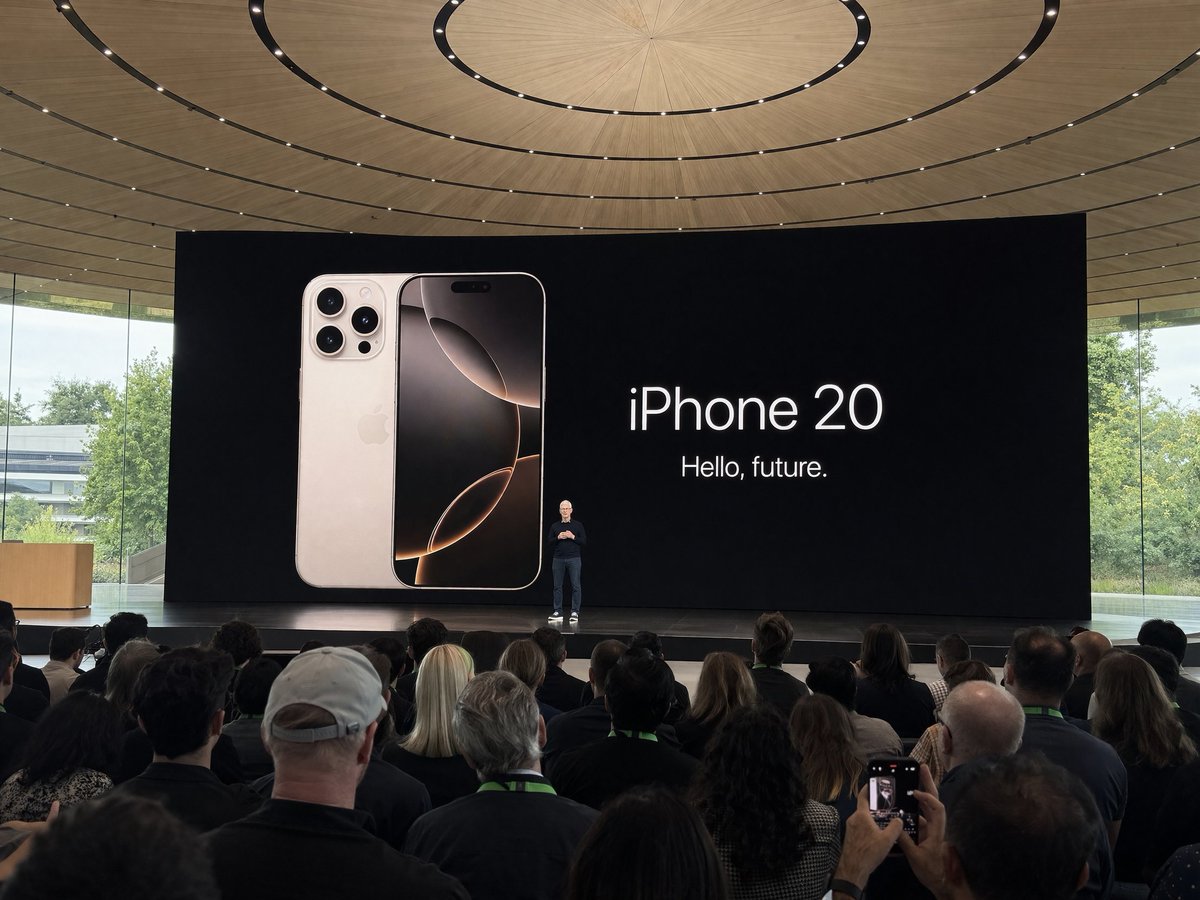
GPT Image 2는 Cyberbara에 있습니다. API 키가 필요 없습니다.
GPT Image 2를 텍스트로 이미지와 이미지로 변환하여 Cyberbara 안에 직접 사용하십시오. OpenAI 결제 설정 없음, Kie API 키 없음, 별도의 통합 작업 없음. 도구를 열고 생성을 시작합니다.
Cyberbara에서 GPT Image 2 사용
새로운 immersive 형태
드래그 가능 360 파노라마 뷰어로 GPT Image 2를 사용해보십시오.
장소와 시간을 입력 한 다음 전체 화면 Panorama 장면으로 아이디어를 켭니다. 새로운 360 페이지에는 로그인 및 신용 뒤에 즉시 표본 환경 및 관례 GPT 이미지 2 발생이 포함됩니다.
Prompt 라이브러리
새로운 GPT 이미지 프롬프트 라이브러리 탐색
멋진 이미지 예제에서 만들어진 전용 라이브러리 페이지를 엽니다. Multi-image 예제는 슬라이드 쇼로 그룹화되며, 각 카드는 소스 링크와 신속한 텍스트를 재사용 할 수 있습니다.
Share
Share
이 도구를 공유합니다.
왜 GPT 이미지 2를 사용합니까?
API 키 관리
GPT Image 2 API 키를 통해 생성, 저장, 회전 또는 지불 할 필요가 없습니다. Cyberbara는 모델 액세스를 취급합니다.
본문내용 바로가기 주메뉴 바로가기
임베디드 도구는 동일한 페이지에서 모드를 모두 지원하며, 이 랜딩 페이지는 모두 GPT Image 2로 탭합니다.
빠른 테스트를 위해 내장
자신의 스택을 배선 대신 크레딧을 사용합니다. 그것은 신속한 테스트를 쉽게 만들고, 참조를 시도하고, 설정 오버 헤드없이 결과를 비교합니다.
Prompt 갤러리
curated prompt gallery는 아이디어, 구성 및 참조 패턴을 원할 때 여전히 유용합니다. 아래 프롬프트를 복사하고 Cyberbara에서 GPT Image 2로 즉시 실행하십시오.
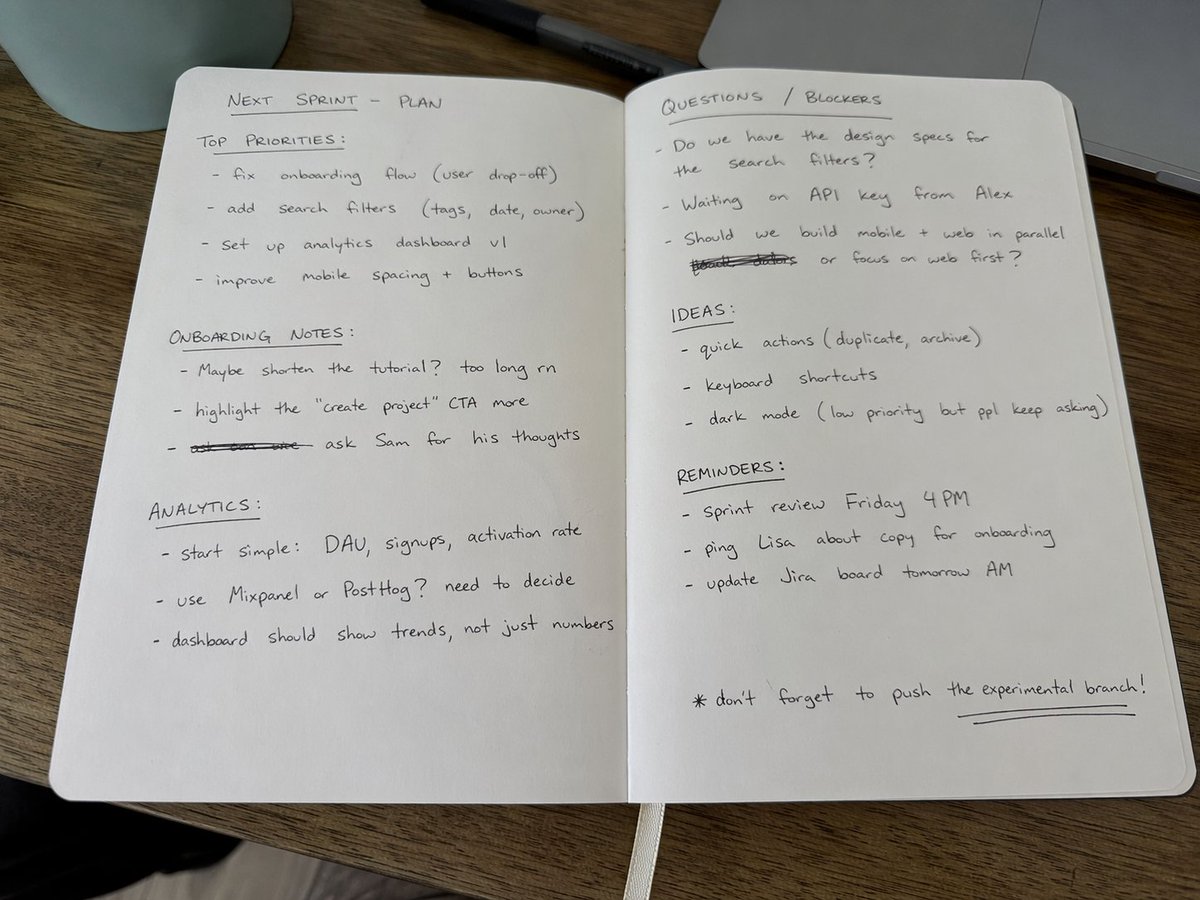
Pattern: PhotographyOpenNana
Handwritten Notebook Photo
Amateur photo of an open notebook lying flat, filled with handwritten notes in black ballpoint pen. The handwriting is casual and slightly messy, like personnal notes, natural imperfections, crossed out words, underlined headings. Shot from slightly above, natural daylight from a window, no flash. Casual desk setting, shot on iPhone

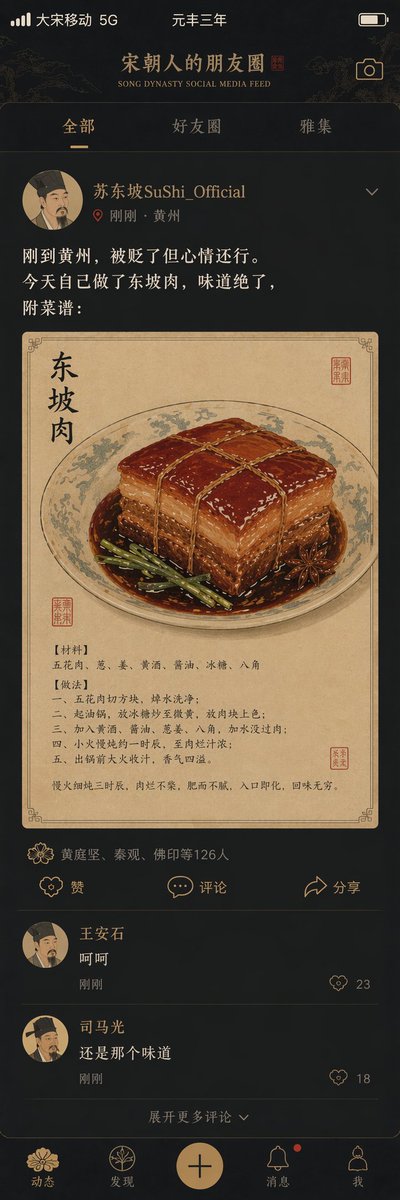
Pattern: Social Feed UIOpenNana
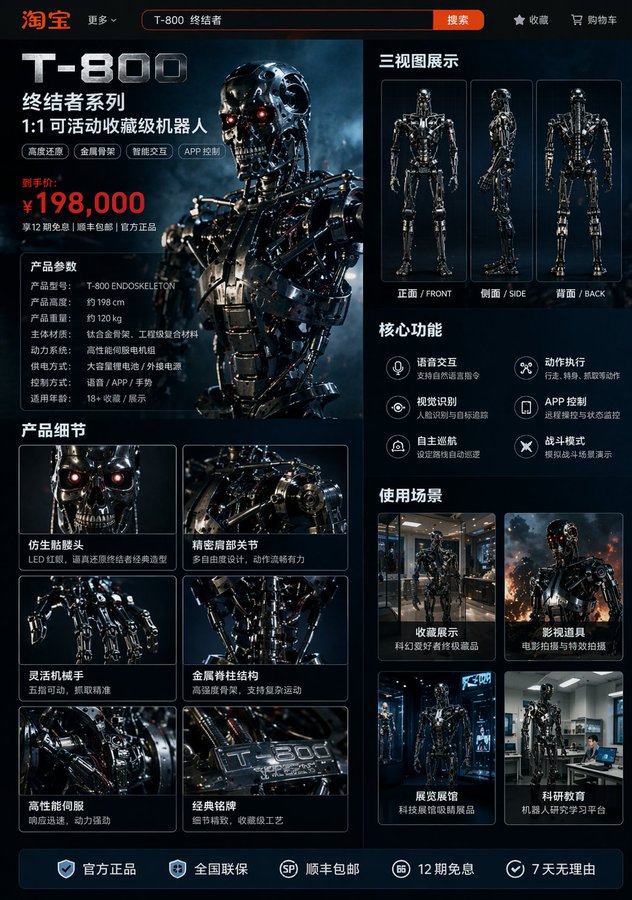
Song Dynasty Social Media Feed
"Song Dynasty People's Moments"/"SONG DYNASTY SOCIAL MEDIA FEED", Ancient and modern time-travel humor fusion interface design style, The image simulates a mobile phone social media interface, but the content is entirely Song Dynasty scenes, The avatar is a portrait of a Song Dynasty literati, Username "Su Dongpo SuShi_Official", Post content "Just arrived in Huangzhou, demoted but feeling okay. Made Dongpo pork myself today, tastes amazing, recipe attached:", The attached image is a close-up of Dongpo pork in Gongbi painting style, Likes list "Huang Tingjian, Qin Guan, Fo Yin etc. 126 people", Comments section "Wang Anshi: Hehe" "Sima Guang: Still the same taste", Interface elements such as the like icon are replaced with Song Dynasty patterns, The status bar shows "Great Song Mobile 5G" and "Third Year of Yuanfeng", The color scheme is mobile phone dark mode paired with elegant Song Dynasty tones, A masterpiece of fun collision between history and social media
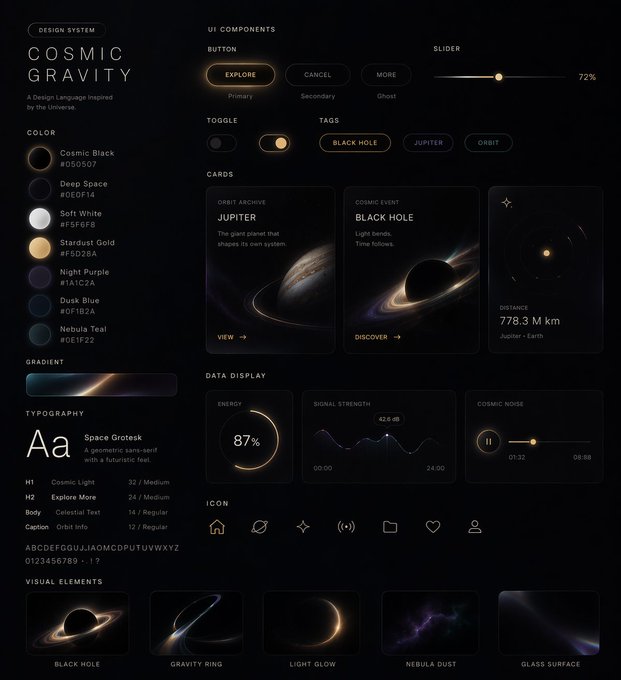
Pattern: Character SheetOpenNana
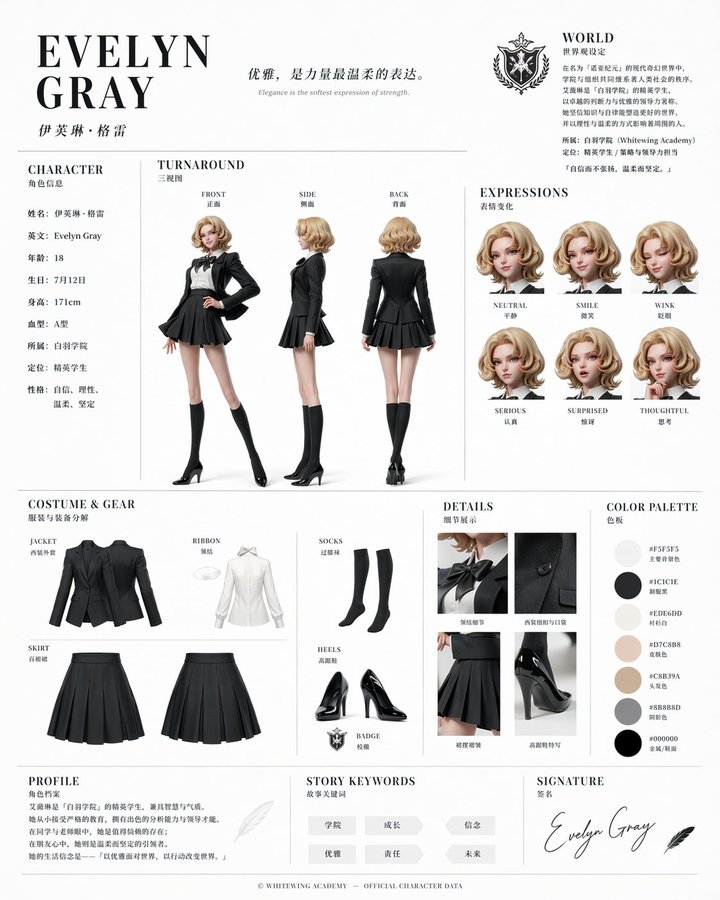
Official Character Reference Sheet
Based on this character and background, please create a character reference sheet similar to official setting materials. ・Includes three-view drawings: front view, side view, and back view ・Add variations of the character's facial expressions ・Break down and display detailed parts of the clothing and equipment ・Add a color palette ・Include a brief explanation of the worldview setting ・Overall, use an organized layout (white background, illustration style)
Pattern: InfographicOpenNana
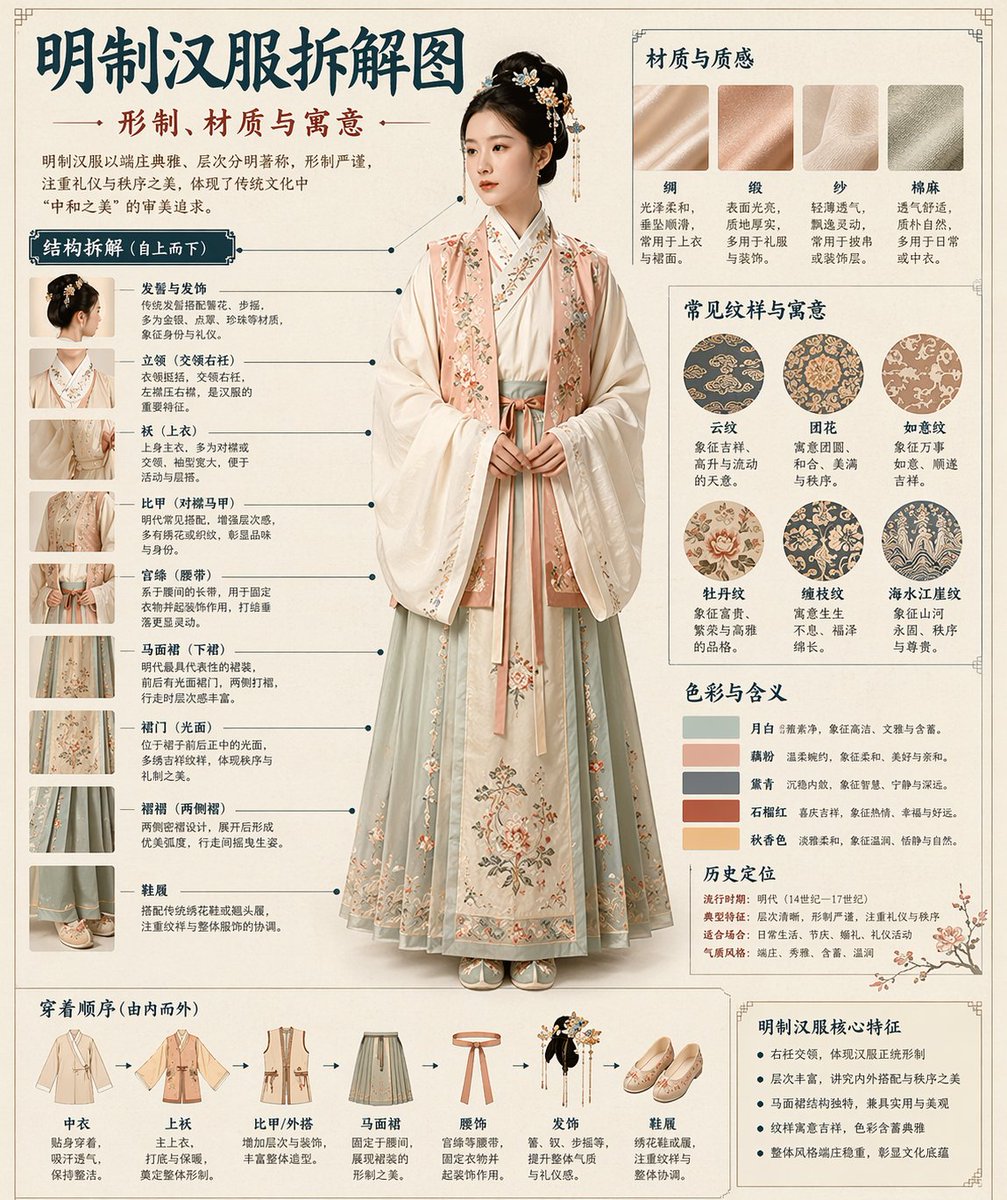
Museum-Level Chinese Disassembly Infographic
Museum catalog-style Chinese disassembly infographic of a classical object. Clean cream background, museum editorial layout, precise callout lines, numbered structure labels, balanced typography hierarchy, bilingual museum annotation feel, elegant negative space, and a polished print-design presentation.
GPT를 원 인프라 작업없이 이미지 2?
발전기를 열고, 모드를 선택하고, 생성을 시작합니다. Cyberbara는 API 설정 없이 GPT Image 2에 직접 액세스를 제공합니다.
FAQ
GPT Image 2는 Cyberbara에서 지금 사용할 수 있습니까?
예. GPT Image 2는 Cyberbara에서 이미 사용할 수 있으며, 이 페이지는 임베디드 발전기에 직접 링크합니다.
GPT Image 2를 사용하는 API 키가 필요합니까?
이름 * 당신은 자신의 OpenAI 또는 Kie API 키를 필요로하지 않습니다 GPT 이미지 2 Cyberbara에.
OpenAI 계정이 먼저 필요합니까?
이 페이지에는 별도의 OpenAI 계정 설정이 필요합니다. Cyberbara 크레딧과 Cyberbara를 사용하면 모델에 액세스 할 수 있습니다.
이 페이지는 text-to-image와 image-to-image를 모두 지원합니까?
예. 임베디드 발전기는 텍스트로 이미지와 이미지로 이미지를 모두 지원하며, GPT Image 2에 기본적으로 탭을 모두 지원합니다.
도구 섹션에서 기본적으로 선택한 것은 무엇입니까?
텍스트 이미지는 GPT Image 2 텍스트 모델과 GPT Image 2 이미지 편집 모델에 이미지 이미지 기본으로 기본으로 합니다.
GPT Image 2 이미지에 대한 참조 이미지를 업로드 할 수 있습니까?
예. 이미지-to-image로 전환, 하나 이상의 지원된 참조 이미지 업로드, 그리고 거기에서 생성.
이미지에 대한 프롬프트를 작성해야 합니까?
예. Cyberbara의 현재 GPT Image 2 이미지 - 이미지 흐름은 최신 KIE 문서를 따르고 최소한 하나의 참조 이미지가 필요합니다.
Cyberbara에서 GPT Image 2에 대해 어떻게 지불합니까?
직접 API 결제 관리 대신 Cyberbara 크레딧을 사용합니다. 그것은 당신이 다만 생성하고 iterate를 원할 때 사용법을 간단한 지킵니다.
생성 된 이미지를 저장하거나 다운로드 할 수 있습니까?
예. 완료된 작업은 다운로드 할 수 있으며 지원된 출력은 발전기 역사에서 자산에 추가될 수 있습니다.
이전 GPT Image 2가 실행될 수 있나요?
예. 발전기는 작업 기록을 포함하므로 신속한, 미리보기 출력 및 이전 아이디어를 다시 실행할 수 있습니다.
이 페이지는 갤러리 페이지만 있습니까?
이름 * 갤러리는 지원 자료만 있습니다. 이 페이지의 주요 목적은 API 설정 없이 Cyberbara에서 GPT Image 2를 사용하도록 합니다.
왜 모델을 직접 호출하는 대신 Cyberbara를 사용합니까?
Cyberbara는 설정 작업을 제거합니다. API 키, 청구 통합, 업로드 배관, 또는 GPT 이미지 2를 테스트 시작하려면 작업 오염을 처리 할 필요가 없습니다.